
Blocks
Redstone Control Block
Use redstone instead of the console to control the TARDIS
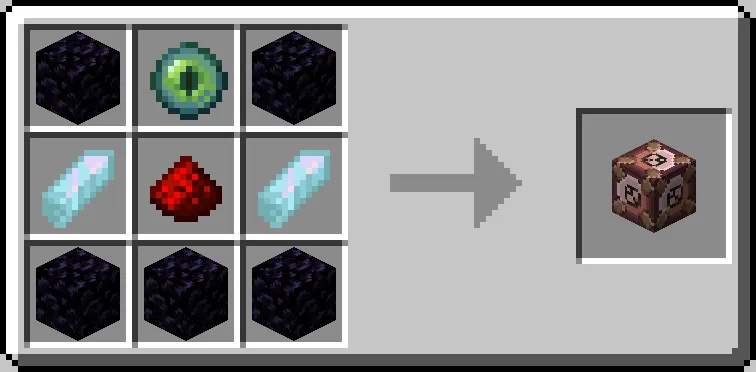
The Redstone Control Block is crafted like so:
With the Redstone Control Block in your main hand, right-click on a Console control to set the type of control the block should use.
- Green = Emulates a left-click on the set control.
- Red = Emulates a right-click on the set control.
To change the mode, right-click the control block.
To trigger the control linked to the block, provide redstone power (of any level) to the block, e.g. via a button.