
Blocks
Monitors
A screen to configure your TARDIS
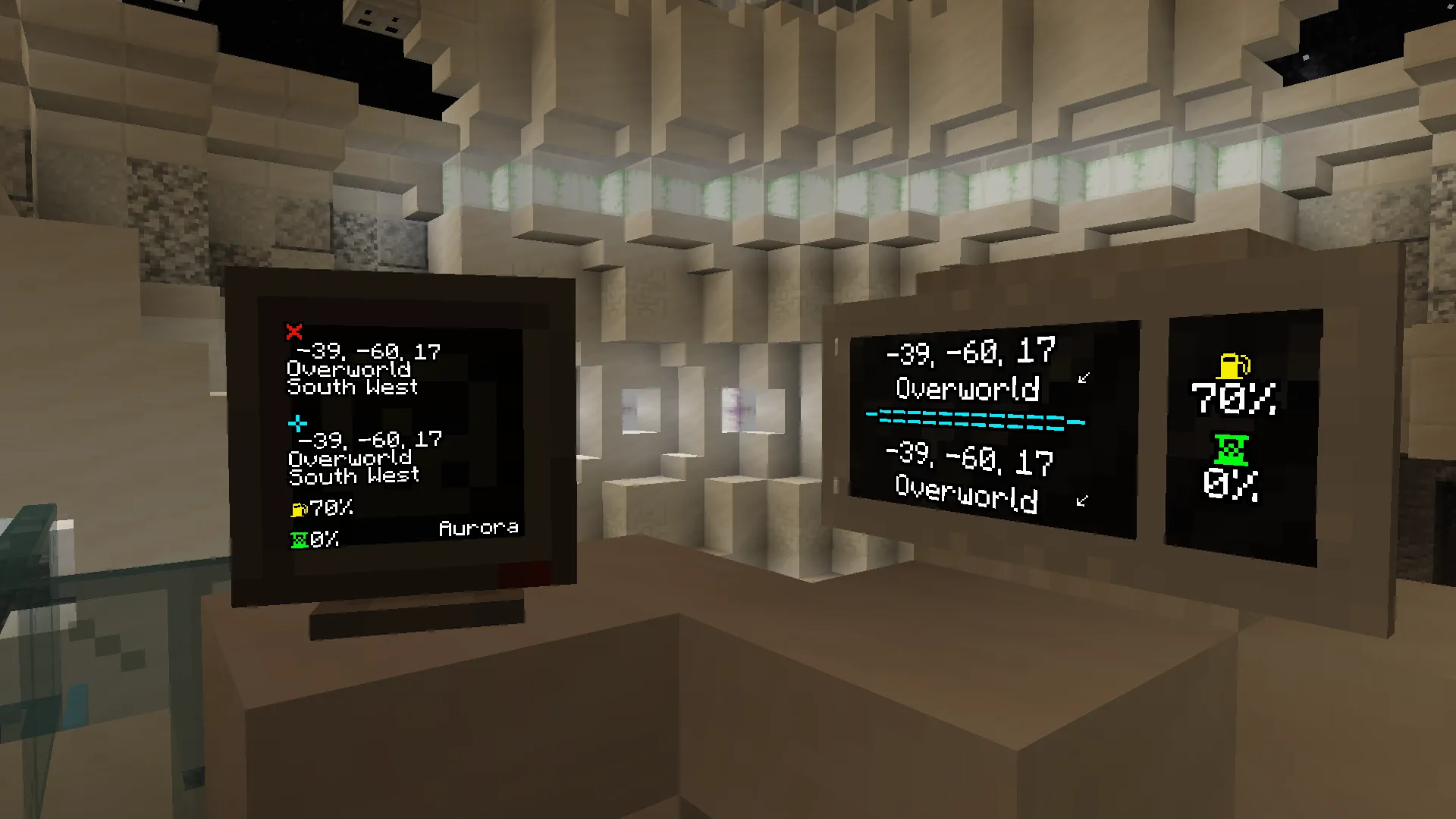
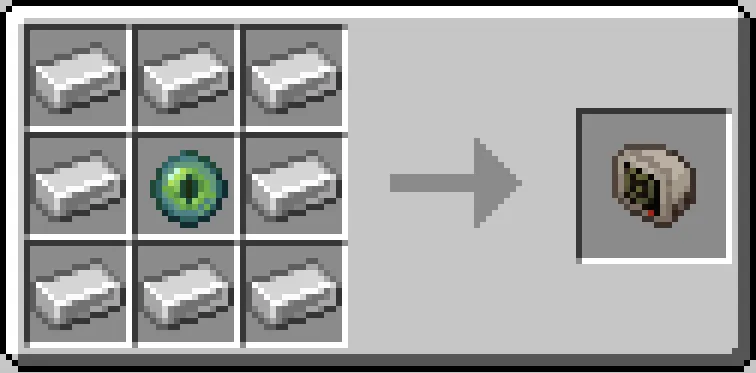
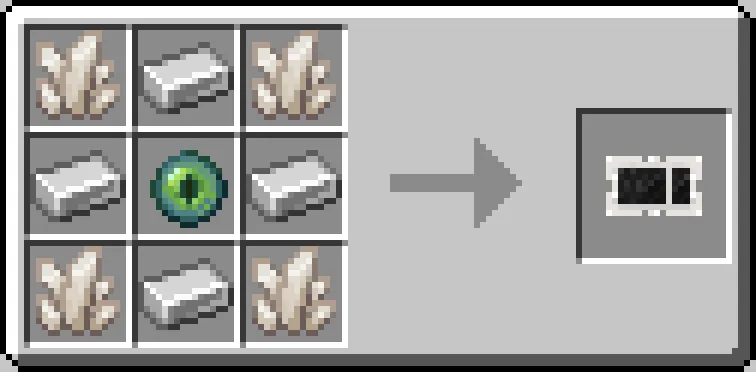
The Monitor is your way to change settings, customise your TARDIS and view TARDIS info. A monitor is integrated within most TARDIS Consoles, but you can craft it as a separate block and use it anywhere in your interior rather than just your Console. There are two types of Monitor: Regular Monitor and Wall Monitor.
These can be crafted like so:
Customizing Your TARDIS
In the monitor’s GUI you can customise your TARDIS, like the Exterior, Desktop Theme, Hum, Vortex, etc.
Information on Regular Monitor block
The information displayed on the Monitor’s front face consists of:
- Current location at the top (marked with a ❌), divided into coordinates, dimension and direction the TARDIS is facing.
- Destination location below that (marked with a blue ➕), divided into coordinates, dimension and direction the TARDIS will be facing.
- A yellow fuel icon at the bottom, with a percentage next to it indicating how much Artron Energy is left.
- A green hourglass below that, with a percentage next to it indicating flight progress.
- The name of the TARDIS in the lower right.
- A red alert icon in the top-right if alarms are active.
Information on Wall Monitor block
The information displayed on the Wall Monitor’s front face is split into two sections: Left section:
- The top shows the current location, divided into coordinates, dimension and direction (the little arrow) the TARDIS is facing.
- The bottom shows the destination location, divided into coordinates, dimension and direction (the little arrow) the TARDIS will be facing.
Right section:
- A yellow fuel icon at the top, with a percentage below it indicating how much Artron Energy is left.
- A green hourglass at the bottom, with a percentage below it indicating flight progress.